When something breaks, we help Fresno businesses stabilize fast: with a clear plan and calm guidance.

Emergency IT Support for Fresno Businesses

Remote-first triage with on-site support when it actually shortens downtime. We explain the issue, outline options, and guide the next step.

When tech issues are handled early, the day feels different. Staff stays calm. Systems recover faster. You leave on time knowing there’s a plan.

✔️ We stabilize first: isolate the issue and reduce impact
✔️ You get a clear plan: options, timing, and a plain-English estimate
✔️ We stay with it: remote support, on-site if it shortens downtime

We’ll review what’s happening and suggest practical next steps.
You choose the scope.

If you suspect ransomware, disconnect affected devices from the network and contact us.

Business hours: Monday–Friday, 8am–5pm

How We Handle IT Emergencies: Step by Step

A calm, methodical response designed to stabilize systems, reduce downtime, and keep your team informed.


Phase 1: Immediate Remote Triage

Priority Remote Response

Most issues are addressed remotely to save time. We securely connect, assess the situation, and isolate what’s causing the disruption.

Why this matters:
You’re not waiting for a truck to roll just to get answers.

Technician in tie begins a secure remote login on dual monitors in a modern office.
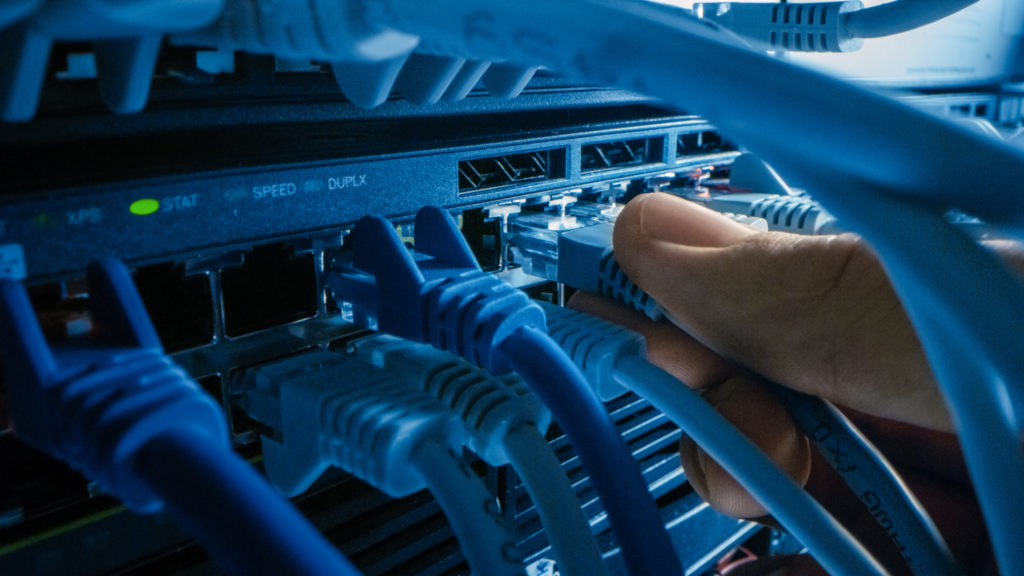
Hands connect an Ethernet cable to a clean, labeled patch panel in a server rack.
Phase 2: Stabilize What Matters First

Stabilize Critical Systems

We focus first on what keeps your business running: servers, connectivity, and core applications. Non-critical items wait.

Why this matters:
Your team can keep working while we resolve the root issue.

Phase 3: Clear, Local Communication

Clear Communication, No Runaround

You work directly with local technicians. We explain what’s happening, outline next steps, and document everything in plain language.

Why this matters:
You always know where things stand — no guessing, no offshore handoffs.

Business professional on a headset in a modern office with notepad ready.
Professional technician in tie enters a small office lobby for a service visit.
Phase 4: On-Site Support When It Helps

On-Site Dispatch When It Actually Shortens Downtime

If remote support isn’t enough, we send a Fresno-based technician. You’re updated before arrival and during the visit.

Why this matters:
On-site is used strategically, not automatically.

Phase 5: Security Containment & Safe Workarounds

Contain Threats and Keep You Operating

For suspected malware or ransomware, we isolate affected systems, secure accounts, and implement safe temporary workarounds if a full fix takes time.

Why this matters:
Damage is limited while your business stays operational.

Admin disables a network switch port to isolate a compromised device.

This approach lets us move fast without creating new problems, and gives you control over the next step.

We’ll review what’s happening and recommend practical next steps. You decide how far to go.

Why the Right Emergency IT Response Changes Everything

When systems fail, the difference isn’t speed alone: it’s clarity, control, and steady progress.

Financial Stability

Downtime Stays Contained

Even short outages can ripple through your day. A fast, methodical response limits disruption and keeps costs from compounding.

Problems stop spreading. Work resumes sooner.

Risk Reduction

Small Issues Don’t Escalate

Early containment prevents minor failures from turning into outages or security incidents.

Fewer surprises. Fewer second-order problems.

External Confidence

Clients and Patients Stay Confident

Reliable systems and steady updates protect your reputation when it matters most.

You stay professional, even under pressure.

Internal Calm

Your Team Stays Focused

Clear ownership and communication remove guesswork so staff can focus on their work, not troubleshooting.

Less stress. Cleaner handoffs. Forward motion.

Handled well, emergencies don’t define the day, they pass through it.

We’ll review what’s happening and outline practical next steps. No pressure.

Business hours: Monday–Friday, 8am–5pm
After-hours response is based on severity, expectations are set up front.

When Emergency IT Support Is the Right Move

If any of these sound familiar, it’s time to bring in a steady hand.

Work Has Slowed or Stopped


Systems Are Down or Unreliable


Staff can’t log in, access files, or rely on core tools. Even partial outages are disrupting the day.

We step in early to contain the issue before it spreads.

You’re Seeing Warning Signs


Something Feels “Off”


Intermittent errors, slow performance, strange alerts, or repeated disconnects are starting to pile up.

Small issues are easier to fix when caught early.

Security Is a Concern


Possible Malware or Ransomware


Unexpected lockouts, unusual account behavior, or security alerts raise red flags.

We focus first on isolation and containment to limit exposure.

You Don’t Have Clear Ownership


No One Is Clearly Responsible


Internal IT is unavailable, overwhelmed, or unsure what to do next.

We take ownership and guide the next steps.

If you’re unsure whether it’s an emergency, a quick review can help clarify the right move.

We’ll help you decide what makes sense, even if the answer is “not yet.”

Get Help: We’ll Take It From Here

Share a few details. We’ll confirm impact, outline next steps, and explain options before any work begins.
Business hours: Monday–Friday, 8am–5pm

Emergency IT Support Form

Prefer to talk it through?

Local team. Plain-English updates. No call-center hand-offs.

Straight Answers Before You Reach Out

Response paths vary by severity and time of day. We triage quickly, explain options, and set expectations up front.

Local team. Plain-English updates. No call-center hand-offs.

Scroll to Top
Divine Logic Logo
Privacy Overview

This website uses cookies and similar technologies to run core features, measure traffic, and—if you allow—improve ads and embedded services (e.g., Google reCAPTCHA and Google Reviews).

  • Necessary (required): Security, network management, accessibility, and features that keep the site working.
  • Statistics: Traffic and usage measurement (e.g., Google Analytics).
  • Marketing: Advertising/remarketing and embedded third-party content.

Your choices

  • Use {setting}Cookie Settings{/setting} to turn categories on/off at any time (also available via the floating “Cookie Settings” button).
  • California residents: selecting “Reject all” or using our Do Not Sell/Share page will opt you out of “sale”/“sharing” used for cross-context behavioral advertising. We honor Global Privacy Control (GPC).
  • EU/UK visitors: non-essential cookies are off until you consent.

Learn more in our Privacy Policy and Cookie Policy. California opt-out: Do Not Sell or Share My Personal Information.