
Home » IT Services » Emergency IT Support

When something breaks, we help Fresno businesses stabilize fast with calm, practical IT guidance.

Emergency Backups, Recovery, and Response are Understood—not Assumed.
IT Support for Fresno Businesses

Remote-first triage, on-site when it helps. We explain what’s happening, outline options, and provide clear next steps.

When systems are unstable, the first priority is containment, communication, and restoring operational clarity.

When tech issues are handled early, the day feels different. Staff stays calm. Systems recover faster. You leave on time knowing there’s a plan.

✔️ Stabilize first to reduce disruption
✔️ Clear plan with plain-English options
✔️ Remote-first, on-site when it helps

We’ll review what’s happening and suggest practical next steps.
You choose the scope.

If you suspect ransomware, disconnect affected devices and contact us.
→ If you’re unsure what you’re seeing or what to do first

Business hours: Monday–Friday, 8am–5pm

Emergency IT Support, Clearly Defined for Fresno Businesses

Who this is for, when to call, and how we stabilize problems fast.

Who this service is for


Fresno businesses experiencing active disruptions — systems down, security concerns, or urgent issues where internal IT is unavailable, overwhelmed, or unclear on next steps.

When to call us


✔️ Staff can’t work or log in
✔️ Core systems are unstable or offline
✔️ Suspected malware or ransomware
✔️ No clear owner to triage and stabilize

What problem we solve


We contain impact first, explain what’s happening in plain language, and guide recovery so emergencies don’t spiral into longer outages or security incidents.

How we handle it


Remote-first triage to stabilize fast, with Fresno-based on-site support only when it helps — clear options, documented steps, and steady communication throughout.

How We Handle IT Emergencies: Step by Step

A calm, methodical response designed to stabilize systems, reduce downtime, and keep your team informed.


Phase 1: Immediate Remote Triage

Priority Remote Response (Remote-First)

Most issues are addressed remotely to save time. We securely connect, assess the situation, and isolate what’s causing the disruption.

Why this matters:
You’re not waiting for a truck to roll just to get answers.

Technician in tie begins a secure remote login on dual monitors in a modern office.
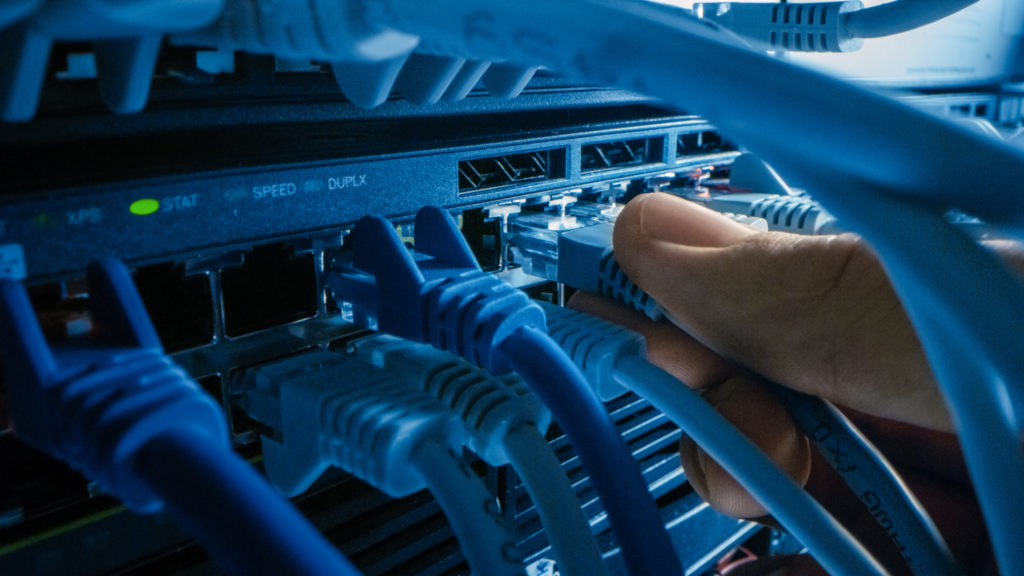
Hands connect an Ethernet cable to a clean, labeled patch panel in a server rack.
Phase 2: Stabilize What Matters First

Stabilize Critical Systems

We focus first on what keeps your business running: servers, connectivity, and core applications. Non-critical items wait.

Why this matters:
Your team can keep working while we resolve the root issue.

Phase 3: Clear, Local Communication

Clear Communication, No Runaround

You work directly with local technicians. We explain what’s happening, outline next steps, and document everything in plain language.

Once things are stable, many teams start reviewing whether their current provider or plan is actually the right fit.

This guide helps you evaluate IT proposals and recommendations without needing a technical background → How to Evaluate an IT Proposal Without Being Technical

Why this matters:
You always know where things stand — no guessing, no offshore handoffs.

Business professional on a headset in a modern office with notepad ready.
Professional technician in tie enters a small office lobby for a service visit.
Phase 4: On-Site Support When It Helps

On-Site Dispatch When It Helps

If remote support isn’t enough, we send a Fresno-based technician. You’re updated before arrival and during the visit.

Why this matters:
On-site is used strategically, not automatically.

Phase 5: Security Containment & Safe Workarounds

Contain Threats and Keep You Operating

For suspected malware or ransomware, we isolate affected systems, secure accounts, and implement safe temporary workarounds if a full fix takes time.

Why this matters:
Damage is limited while your business stays operational.

Incidents often expose a deeper gap between having security products and having security structure. Security Tools vs Security Structure →

Admin disables a network switch port to isolate a compromised device.

This approach lets us move fast without creating new problems, and gives you control over the next step.

Most recurring issues aren’t caused by slow response—they’re caused by unclear structure.
This explains what actually matters in IT support
→ IT Support in Fresno — What Actually Matters

We’ll review what’s happening and recommend practical next steps. You decide how far to go.

Why the Right Emergency IT Response Changes Everything

When systems fail, the difference isn’t speed alone: it’s clarity, control, and steady progress.

Financial Stability

Downtime Stays Contained

Even short outages can ripple through your day. A fast, methodical response limits disruption and keeps costs from compounding.

Problems stop spreading. Work resumes sooner.

Risk Reduction

Small Issues Don’t Escalate

Early containment prevents minor failures from turning into outages or security incidents.

Fewer surprises. Fewer second-order problems.

External Confidence

Clients and Patients Stay Confident

Reliable systems and steady updates protect your reputation when it matters most.

You stay professional, even under pressure.

Internal Calm

Your Team Stays Focused

Clear ownership and communication remove guesswork so staff can focus on their work, not troubleshooting.

Less stress. Cleaner handoffs. Forward motion.

Handled well, emergencies don’t define the day, they pass through it.

We’ll review what’s happening and outline practical next steps. No pressure.

Business hours: Monday–Friday, 8am–5pm
After-hours response is based on severity, expectations are set up front.

When Emergency IT Support Is the Right Move

If any of these sound familiar, it’s time to bring in a steady hand.

Work Has Slowed or Stopped


Systems Are Down or Unreliable


Staff can’t log in, access files, or rely on core tools. Even partial outages are disrupting the day.

We step in early to contain the issue before it spreads.

You’re Seeing Warning Signs


Something Feels “Off”


Intermittent errors, slow performance, strange alerts, or repeated disconnects are starting to pile up.

Small issues are easier to fix when caught early.

Emergency support can stabilize urgent problems quickly, but recurring issues often point to something more structural. This guide explains the hidden cost of reactive IT and why repeated disruption tends to compound over time.

Security Is a Concern


Possible Malware or Ransomware


Unexpected lockouts, unusual account behavior, or security alerts raise red flags.

We focus first on isolation and containment to limit exposure.

→ Here’s what to do if ransomware is suspected

You Don’t Have Clear Ownership


No One Is Clearly Responsible


Internal IT is unavailable, overwhelmed, or unsure what to do next.

We take ownership and guide the next steps.

If you’re unsure whether it’s an emergency, a quick review can help clarify the right move.

We’ll help you decide what makes sense, even if the answer is “not yet.”

Free Tool

If the emergency passed but the worry didn’t, the scorecard shows you what to fix before the next one.

Most IT emergencies don’t come out of nowhere — they’re the visible moment of a problem that was building quietly underneath. The Operational Stability Scorecard helps you see exactly where the structural gaps are across your environment, in plain language, so you’re not just recovering from what happened but actually addressing what made it possible.

What the scorecard identifies

  • Which areas of your environment lack the clear ownership that makes emergencies containable instead of chaotic
  • Where documentation gaps exist that slow down recovery when something goes wrong
  • Whether the warning signs you’re seeing — slow performance, intermittent issues, unclear accountability — are isolated or connected
  • A scored view across 10 operational areas so you know what to address first to reduce the likelihood of the next disruption

Takes 15 minutes. Completely private — nothing is stored or submitted. No sales call required to take it.

No spam. Unsubscribe anytime.
Serving Central Valley businesses since 1989.

Get Help: We’ll Take It From Here

Share a few details. We’ll confirm impact, outline next steps, and explain options before any work begins.

Business hours: Monday–Friday, 8am–5pm

Emergency IT Support Form

Prefer to talk it through?

Local team. Plain-English updates. No call-center hand-offs.
Supporting businesses across Fresno and nearby areas like Clovis.

Straight Answers Before You Reach Out

Response paths vary by severity and time of day. We triage quickly, explain options, and set expectations up front.

If you’re still deciding whether managed IT is the right fit, these guides explain the decision clearly, without pressure:

✔️ When Managed IT Makes Sense
✔️ IT Support vs IT Management vs vCIO

Local team. Plain-English updates. No call-center hand-offs.

Scroll to Top